Build a domain watchlist that helps you make decisions
Turn saved domains into a focused research workflow with clear criteria, review dates, source links and a practical decision log.

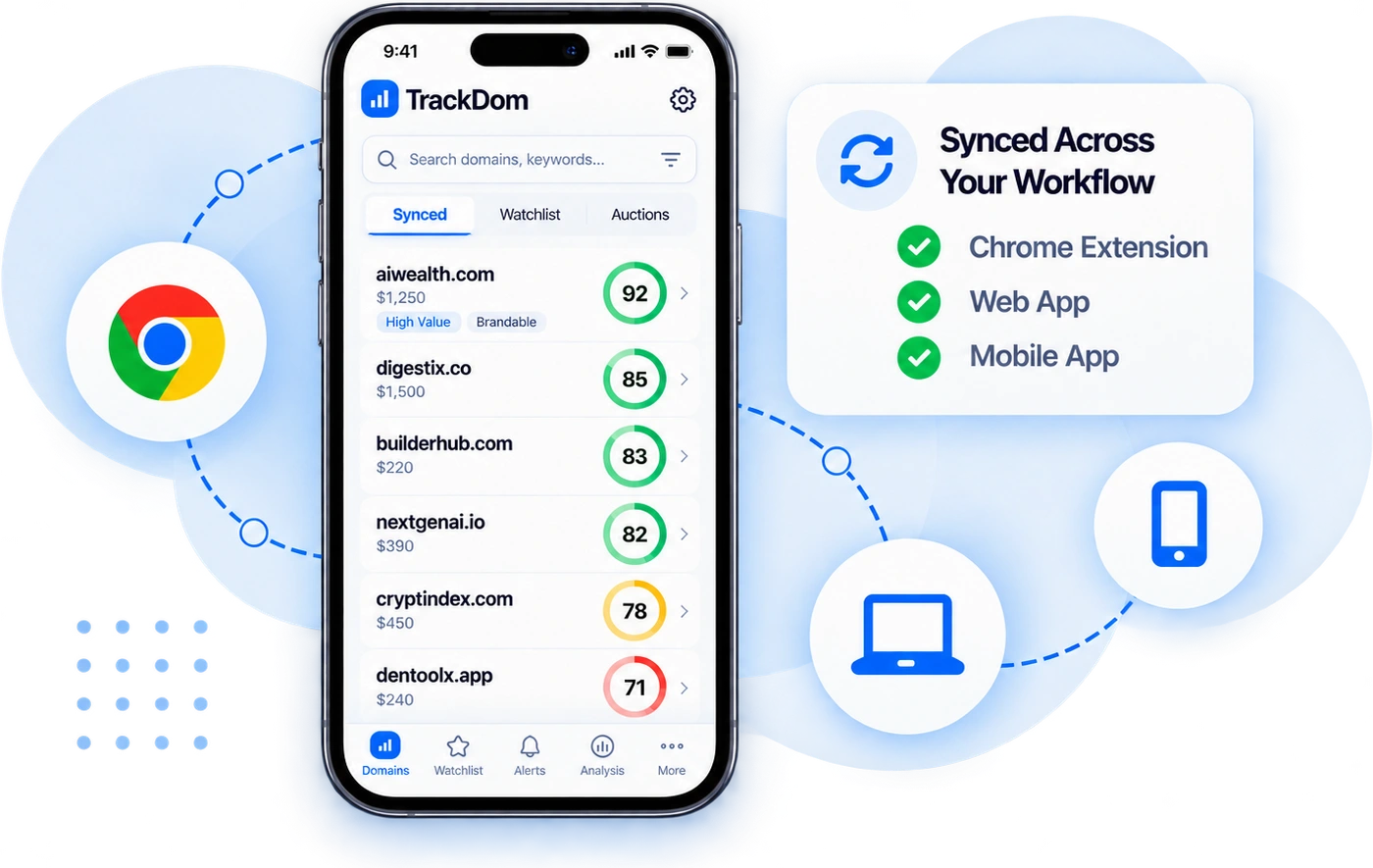
Illustrative product interface. Names, scores and prices are examples. Mobile app coming soon.
A useful domain watchlist records why each name matters, where its information came from and what you need to check next. Separate early ideas from active research, set a review date and remove names that no longer fit. A saved domain is a research candidate, not a reservation or a recommendation to buy.
Make your shortlist smaller than your inspiration list
Collecting names is easy; maintaining a reason to follow them takes work. Keep a broad inspiration list if it helps you think, but reserve active research for domains with a clear purpose. Otherwise every interesting word becomes an obligation to check another page.
Start with the decision you want the watchlist to support. A founder selecting a name has a different task from someone reviewing aftermarket acquisitions. A founder may compare pronunciation, alternatives and suitability for a launch. An investor may need to consider costs, buyer hypotheses and an uncertain holding period.
Choose a few criteria that relate to that task. More fields do not automatically create better research. A small record you update consistently is more useful than an elaborate template you abandon. If a field never changes a decision, consider removing it from the active review.
What should you save beside each domain?
Save the exact domain, a direct source link, a dated observation and your reason for following it. Add the next unresolved question and a review date. These fields let you return to a name after a week and understand what was interesting without rebuilding the research from memory.
Use a note for information your tool does not store. A separate document or spreadsheet can complement an extension watchlist. Do not assume a particular tool supports custom stages, notes or reminders merely because a workflow guide recommends those habits. The method should work with the software you actually have.
When you compare names across marketplaces, keep the original URLs instead of only a search results link. Search order and filters can change. A direct reference makes it easier to identify stale data, confirm the sale method and check whether two observations describe the same listing.
| Field | Purpose | Example entry |
|---|---|---|
| Reason | Explain why the domain belongs here. | A naming candidate for our booking product. |
| Source and time | Make the observation checkable. | Original marketplace URL; checked today. |
| Open question | Keep uncertainty visible. | Confirm renewal cost and sale method. |
| Next action | Define useful progress. | Compare with two naming alternatives. |
| Review date | Prevent indefinite active research. | Choose a specific date that fits the decision. |
Separate ideas, research and decisions
Use simple stages in your notes: idea, researching, watching, decided and archived. These are suggested research labels, not claimed TrackDom features. An idea has not earned ongoing monitoring. A researching name has a specific unresolved question. A watched name has a reason to keep observing a defined change.
A decided name has an outcome you can explain, whether you pursued it or passed. Archive the context rather than silently deleting every record of an unsuccessful idea. That history can help you notice which criteria were useful and which merely made a name feel attractive at the time.
Moving a name between stages should require a reason. For example, you may begin watching because the listing fits the project but exceeds your budget. If a price alert arrives, the next action is a new cost review, not an automatic purchase. The stage makes the purpose of the alert explicit.
Create a review rhythm that matches the decision
Choose a review rhythm based on your project rather than checking every domain with the same urgency. Early naming research can wait for a planned comparison session. An active auction may need a direct source check near its deadline. Owned domains need a separate registrar renewal routine.
At a review, ask what changed, whether it matters and what you will do next. If nothing changed, you can keep watching without writing a fresh essay. If your project changed, update the reason for following the domain. A name that once fit a plan may no longer deserve attention after the plan moves on.
Check old observations before trusting them. A marketplace price, status or availability claim can become stale. Registration data also needs context: ICANN documents EPP status codes so you can distinguish states instead of treating every unfamiliar code as an acquisition signal.
Give each notification a job
Before enabling a notification, finish the sentence “When this changes, I will review…” with a specific action. The answer might be the total cost, the current deadline or whether a name still fits your project. If there is no answer, a scheduled review may serve you better than another interruption.
Test the notification channel you intend to use. Browser notifications depend on permissions and the operating environment. Product plans and delivery channels can change, so confirm what is currently supported. Do not assume that an email, mobile push or instant alert is available simply because a screenshot illustrates it.
TrackDom’s mobile app is coming soon. Treat mobile illustrations as product concepts rather than instructions for an app you can install today. For current access, available monitoring and allowances, consult the getting-started and pricing pages. A reliable workflow starts with a clear view of the tool you have now.
Know when to remove a domain from active research
Remove or archive a name when the purpose disappears, the verified costs no longer fit or you cannot resolve a critical uncertainty. Keeping it forever does not recover the time already spent on it. A clear “pass” decision gives attention back to names that still serve your goal.
Before archiving, write one sentence explaining the reason. “Renewal costs exceed our project budget” is more useful than “not good.” If you revisit the name later, that note tells you which fact would need to change. It also prevents you from repeatedly researching the same unresolved problem.
For acquired domains, create an ownership record rather than leaving them in the same research queue. Confirm the registrar account, renewal settings and transaction records. A watchlist supports discovery and comparison; it should not replace the account controls that keep an owned domain under your management.
The result is a smaller list with clearer next actions. You can use TrackDom for its supported watchlist and extension workflow, then keep any additional notes in your preferred document. The value comes from connecting evidence to a decision and returning to it with enough context to move forward.
YOUR NEXT STEP
A watchlist earns its place when it tells you what to check next. Save fewer unexplained names and more useful context.
Keep your source links and the next question beside the domain you are researching. For available TrackDom features and plan limits, review the current product details.
Published by TrackDom ·
Educational research guidance. Examples do not represent current listings, offers or guaranteed outcomes. Check linked sources for current procedures.
Suggest a correction