The domain auction checklist: what to verify before you bid
Review a domain auction with a clear checklist for listing type, costs, deadlines, domain history and the steps after bidding ends.

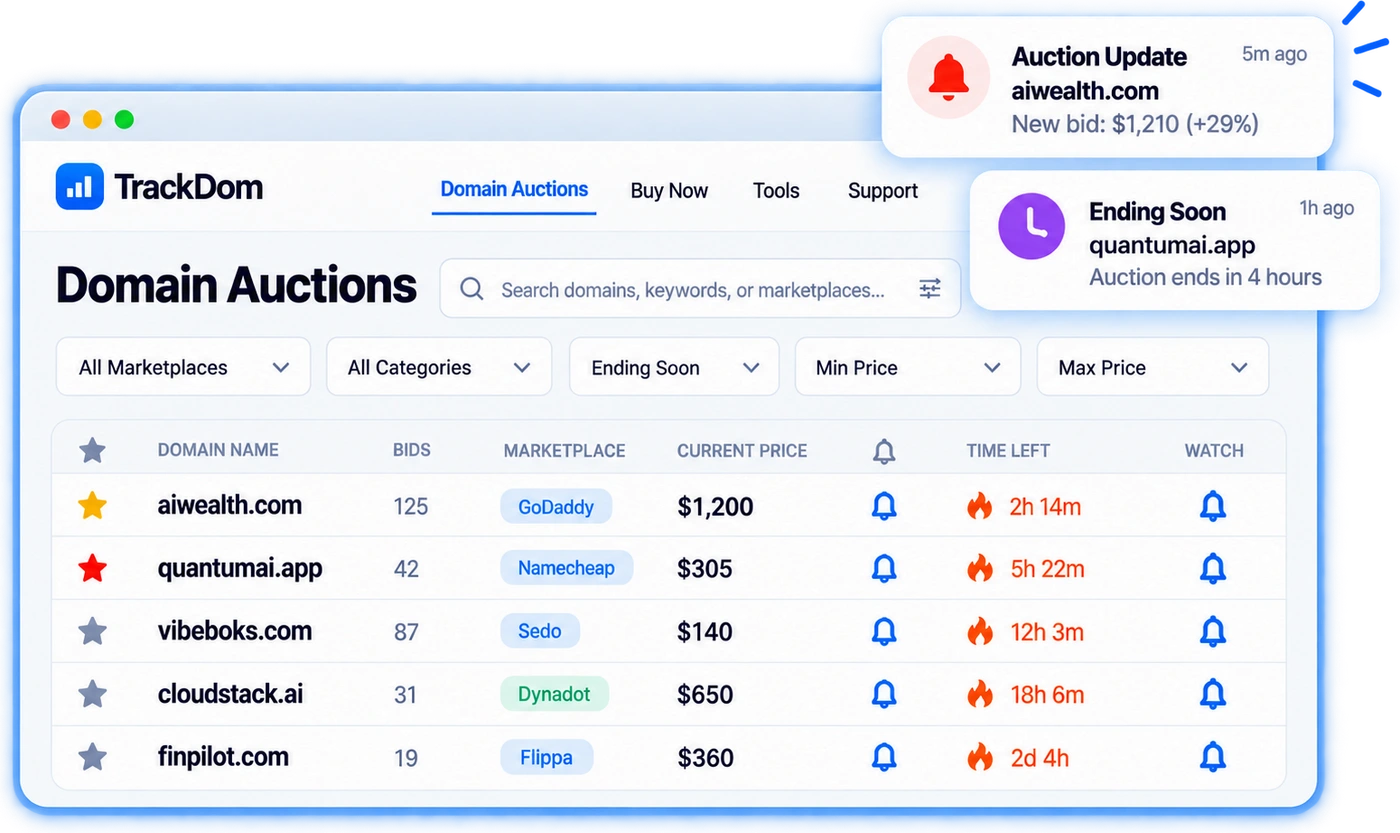
Illustrative product interface. Names, scores and prices are examples.
Before bidding on a domain, verify the exact name, listing type, current auction rules, total costs, renewal terms and delivery process. Set a spending ceiling before the auction becomes urgent. Use the original marketplace for the current bid and deadline, and do not treat a winning bid as confirmed ownership.
What kind of domain listing are you looking at?
Start by identifying the sale method. An auction, a fixed-price listing and a negotiated offer have different decision points. A current bid may still be below the eventual sale price, while a buy-now figure may have a separate checkout process. Read the listing itself before comparing its number with other domains.
GoDaddy’s listing documentation distinguishes expiring-domain auctions and closeouts. Other platforms have their own categories and procedures. Do not carry a rule from one marketplace to another because the pages look similar. Save the current help page with your research if the process is unfamiliar.
Also check the precise domain string. A different extension, an extra character or an unfamiliar spelling can change the name you are researching. Read it aloud, copy it into a plain text note and compare it with the listing. This simple check is especially useful when moving quickly between several tabs or mobile screens.
Source: GoDaddy: listing types for Auctions.
Calculate the full cost before setting a bid limit
The number beside a bid button is only one input. Check whether the transaction includes a renewal, whether a transfer or membership charge applies, and which currency will be charged. Fees and taxes depend on the marketplace and transaction. Use the actual checkout terms instead of assuming another platform’s price structure applies.
Choose a total spending ceiling first, then work backward to the maximum bid that fits it. Include the ownership costs you can establish and write down anything you still need to confirm. An unknown cost is a research task, not a zero. If you cannot establish the terms before the deadline, leaving the auction is a valid decision.
A fictional budget illustrates the method: if your total ceiling is 500 units and confirmed non-bid costs are 60 units, the bid portion cannot exceed 440 units. This is arithmetic, not a suggested budget or a valuation. Change the figures to reflect your own limits, actual costs and tolerance for uncertainty.
| Cost | Where to verify it | What to record |
|---|---|---|
| Bid or purchase amount | The current listing | Amount and currency. |
| Transaction charges | Marketplace checkout and fee terms | Included, additional or unresolved. |
| Renewal or transfer | Registrar and sale conditions | Initial and recurring charges. |
| Holding costs | Your ownership plan | How long you can hold the name. |
Research the name independently of the auction
An auction creates urgency, but it does not establish that the domain fits your purpose. Write a short acquisition thesis in plain language. Who would use this name? What would they use it for? Why does this exact combination of words and extension help? If the thesis only works after a long explanation, investigate that weakness before bidding.
Review the domain’s visible history and the identity of the asset being sold. A domain name is different from a functioning website, a customer list or a business. Do not assume those assets are included. If a listing makes traffic or revenue claims, ask how they were measured and what supporting records are available.
Keep historical search metrics in perspective. Google identifies repurposing expired domains primarily to manipulate rankings with low-value content as expired domain abuse. Buying an old domain does not provide a promised search advantage. Evaluate the name for the project you can actually build and support.
Verify the deadline, time zone and bidding rules
Open the original auction page shortly before a decision. Record the displayed deadline and time zone, and read the rules for bid increments, automatic bidding, extensions and payment. The relevant rule is the one the marketplace currently applies to this listing, not a remembered description from a forum or a previous auction.
An external countdown is a research convenience. It may not reflect a recent bid, extension or listing change. If a monitor and the marketplace disagree, investigate on the marketplace. Keep access to your account ready in advance and confirm the payment method requirements before there is time pressure.
Decide what would make you walk away before you reach this stage. A price beyond your ceiling, missing cost information or an unresolved ownership issue should not become acceptable just because the clock is running. A written limit makes it easier to notice when urgency has replaced your original reasoning.
- Confirm the exact domain and sale format.
- Read the current bidding and payment rules.
- Check the deadline and its time zone at the source.
- Confirm costs, renewal terms and delivery conditions.
- Write down your bid ceiling and unresolved questions.
- Reopen the listing before submitting any bid.
What happens after you win a domain auction?
The next steps depend on the listing and marketplace. Follow the platform’s payment and delivery instructions, watch your account for updates and keep transaction records. GoDaddy documents different post-auction paths; check the procedure for your specific sale rather than assuming a single delivery schedule.
A successful bid is not a reason to announce that you control the name before delivery is confirmed. Verify that the domain appears in the correct registrar account and review its renewal settings once the transaction completes. If the process stalls, use the marketplace’s official support channel and refer to the transaction details.
Avoid moving a transaction to a private payment link because someone claims it will speed up delivery. Navigate to the marketplace directly and verify messages in your account. The discipline you used to research the bid should continue through payment, delivery and the first ownership review.
Review the decision whether you win or lose
After an auction, compare your behavior with your original research. Did you stay within the limit? Did a new fact justify a changed view, or did you react to another bidder? Keep the answer in your notes. An auction you lose can still be a useful decision if the final cost no longer fits your purpose.
If you acquire the domain, move it from an acquisition watchlist into an ownership checklist. Record the registrar, renewal conditions, transaction documents and next review. If you do not acquire it, retain only the observations that help future research. A final displayed price can be informative, but confirm the nature of the reported result before treating it as a completed comparable sale.
YOUR NEXT STEP
Your best auction tool is a decision made before the countdown: a researched purpose, verified terms and a ceiling you can explain.
Keep your source links and the next question beside the domain you are researching. For available TrackDom features and plan limits, review the current product details.
Published by TrackDom ·
Educational research guidance. Examples do not represent current listings, offers or guaranteed outcomes. Check linked sources for current procedures.
Suggest a correction